Descript Review: Why Every SaaS Founder Needs This AI Video Tool
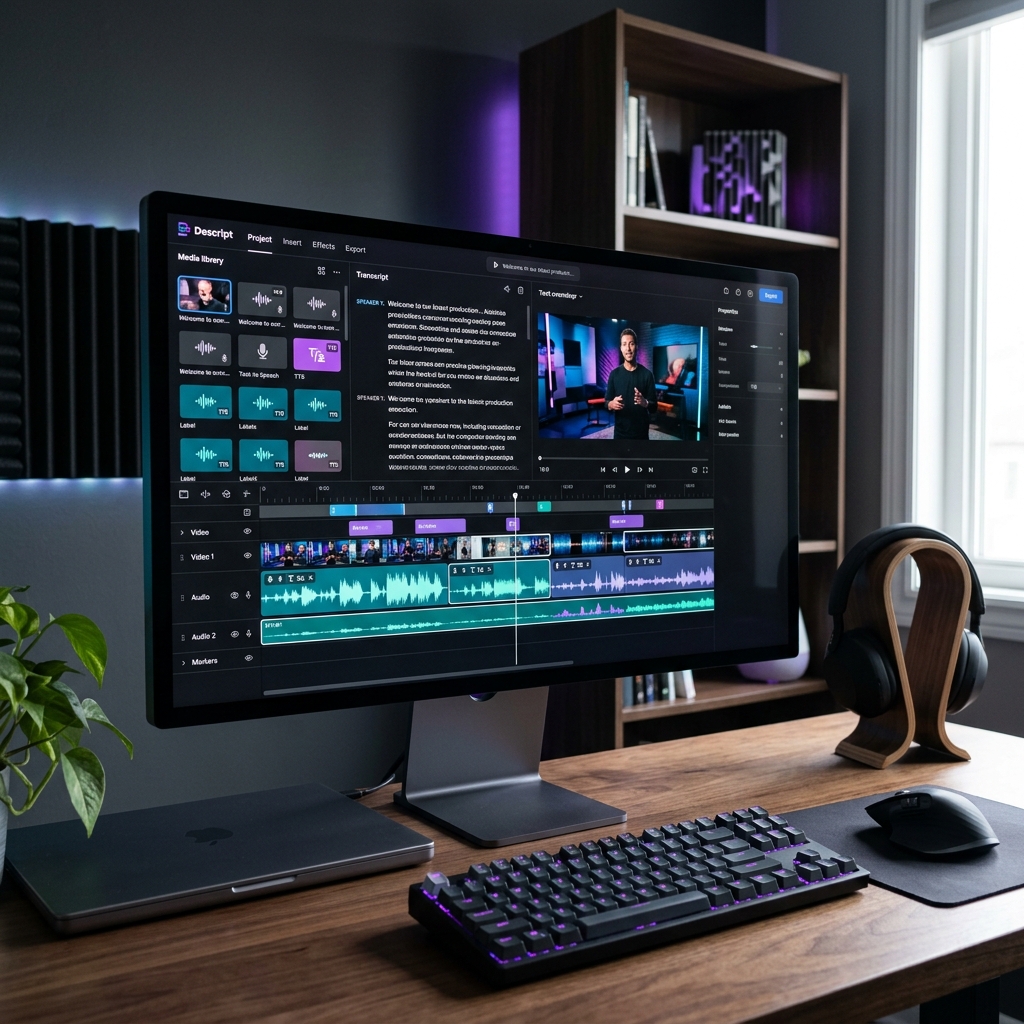
In the world of SaaS, video is king. Whether it’s a product demo, a founder's update, or a customer testimonial, high-quality video content is the most effective way to build trust and drive conversions. However, for most founders, video editing is a nightmare of timelines, "ums," "ahs," and hours of tedious manual work. Enter Descript—the tool that has fundamentally changed how we think about editing by treating video like a text document.
Imagine being able to edit a video by simply deleting a sentence from its transcript. Imagine being able to fix a "verbal typo" by typing the correct word and having an AI-generated version of your voice say it perfectly. This isn't science fiction; it's the core of the Descript experience. In this 2026 review, we'll explore how Descript has evolved and why it's the ultimate productivity hack for content-led SaaS growth.
Tool Overview: What is Descript?
Descript is an AI-powered audio and video editor that puts transcription at the center of the workflow. When you upload a file, Descript immediately transcribes it. From there, you edit the media by editing the text. It’s as intuitive as using Google Docs, but for video. This "script-based editing" paradigm eliminates the need for complex timeline navigation for 90% of common editing tasks.

For SaaS founders who need to move fast, Descript is a lifesaver. You can record a quick Loom-style video, throw it into Descript, automatically remove all filler words, add a professional background, and have it ready for LinkedIn in under 5 minutes. It bridges the gap between "rough recording" and "polished production" more effectively than any tool we've ever tested.
Key Features
- Filler Word Removal: Automatically detect and delete "ums," "uhs," and "you knows" with a single click.
- Overdub: Create a digital clone of your voice. If you made a mistake in your recording, just type the correction and Descript generates the audio for you.
- Studio Sound: Use AI to remove background noise and make a laptop microphone sound like it was recorded in a professional studio.
- Eye Contact Correction: A magical feature that uses AI to make it look like you're looking at the camera, even if you were reading a script off-screen.
- Underlord: Descript's AI assistant that can summarize your video, write show notes, and even suggest the best clips for social media.
Pros and Cons
Pros
- ✓ The most intuitive editing model on the market
- ✓ Industry-leading transcription accuracy
- ✓ Powerful AI features that actually work
- ✓ Great for collaboration and team workflows
Cons
- ✗ Can be resource-heavy on older computers
- ✗ High-end cinematic editing still requires traditional tools
- ✗ Subscription model can be pricey for occasional users

Pricing Overview
Descript offers a tiered pricing model that caters to everyone from solo founders to large content teams. The value is packed into the automation time saved.
- Free: 1 hour of transcription per month, 720p export, and basic features.
- Creator: $12/month for 10 hours of transcription, 4k export, and filler word removal.
- Pro: $24/month for 30 hours of transcription, full Overdub, and advanced AI features.
- Enterprise: Custom pricing for teams needing SSO, dedicated support, and unlimited transcription.
Use Cases for SaaS
- Product Demo Videos: Record your screen, edit out the pauses where the page was loading, and add professional captions in your brand's font.
- Podcast Repurposing: Record a founder interview, then use Descript's "Social Clips" feature to automatically find the most viral-worthy segments for TikTok and Reels.
- Internal Training: Create a "SOP Library" where every video is searchable by the words spoken in it, making it easy for new hires to find exactly what they need.
Comparison: Descript vs. Premiere Pro
While Adobe Premiere Pro is the industry standard for professional filmmakers, it has a steep learning curve and is built on a legacy timeline model. For a SaaS founder, Premiere is often "too much tool." Descript focuses on speed and intelligence. If you need to make a movie, use Premiere. If you need to make content that sells your product, use Descript.
Final Verdict
Descript is one of the few tools that feels like "magic" the first time you use it. It has successfully applied AI to a boring, difficult task and made it accessible to everyone. For SaaS founders who want to build a personal brand or create high-quality marketing collateral without hiring a full-time editor, Descript is the most important tool in your stack.
Frequently Asked Questions (FAQ)
Is the AI "Overdub" voice safe to use?
Yes, Descript has strict ethical guidelines. You can only create an Overdub of your own voice or someone who has given explicit verbal consent through the app.
Can I export my project to Premiere Pro later?
Yes, Descript allows you to export an XML file that you can open in Premiere if you need to do advanced color grading or complex VFX.
Does it work for languages other than English?
As of 2026, Descript supports over 20 languages with high transcription accuracy, including Spanish, French, German, and Japanese.