PandaDoc Review 2026: The Secret to Faster SaaS Deal Closing
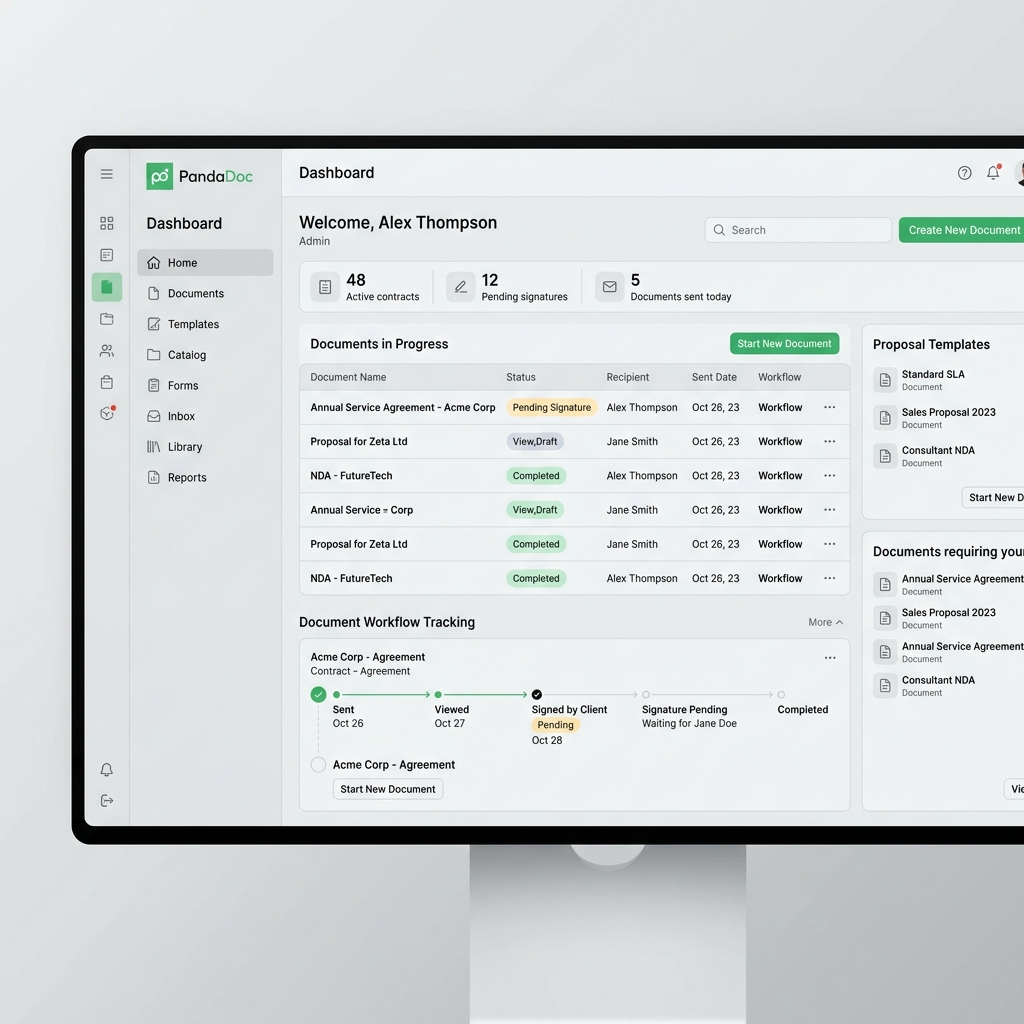
In the high-stakes world of B2B SaaS sales, momentum is everything. There is nothing more frustrating for a founder or sales leader than a deal that stalls at the "contract stage." Whether it's a messy PDF, a confusing signature process, or just the time it takes to draft a professional proposal, these friction points kill revenue. PandaDoc has spent the last decade perfecting the "last mile" of the sales cycle by automating document creation and e-signatures.
By 2026, PandaDoc has evolved from a simple e-signature tool into a full-scale "Document Intelligence" platform. It doesn't just help you sign documents; it tells you *how* your prospects are interacting with them. Which page did they spend the most time on? Did they skip the pricing section? This level of insight allows sales teams to follow up with precision. In this review, we’ll dive into why PandaDoc is an essential tool for any SaaS company with a "high-touch" sales model.
Tool Overview: What is PandaDoc?
PandaDoc is a document automation software that allows teams to create, track, and sign proposals, quotes, and contracts. Unlike traditional e-signature tools that rely on static PDFs, PandaDoc uses a dynamic web-based editor. This means your documents are responsive, interactive, and can pull data directly from your CRM. It bridges the gap between a marketing brochure and a legal contract.

For SaaS, the "Quote-to-Cash" process is simplified through PandaDoc's ability to handle complex pricing tables and seat-based calculations. You can build a "Pricing Block" that allows your prospect to toggle different plan options or add-ons directly within the proposal, with the total price updating in real-time. This interactive experience significantly reduces the "back-and-forth" that typically delays deals.
Key Features
- Smart Content Library: Store pre-approved case studies, testimonials, and legal clauses. Drag and drop them into any new proposal in seconds.
- Real-Time Tracking: Get notified the instant a prospect opens your document, how long they view each page, and when they're ready to sign.
- Integrated E-Signatures: Legally binding, ESIGN and UETA compliant signatures are built into every document.
- CRM Native Integrations: Pull data from HubSpot, Salesforce, or Pipedrive to auto-populate customer details, eliminating manual data entry errors.
- Approval Workflows: Ensure every contract is reviewed by your legal or finance team before it reaches the customer, with automated internal routing.
Pros and Cons
Pros
- ✓ Stunning, professional document design
- ✓ Deep analytics on prospect engagement
- ✓ Powerful CRM integrations (best-in-class)
- ✓ Simplifies complex pricing and seat-based quotes
Cons
- ✗ Mobile app experience is limited compared to desktop
- ✗ High-level automation features are only in the top tiers
- ✗ Learning the editor can take some time for non-designers

Pricing Overview
PandaDoc has moved toward a more aggressive pricing model that rewards teams for consolidating their entire document workflow on the platform.
- Free eSign: $0 for unlimited document uploads and e-signatures.
- Essentials: $19 per user/month for the document editor and templates.
- Business: $49 per user/month for CRM integrations and content library.
- Enterprise: Custom pricing for API access, SSO, and Salesforce integration.
Use Cases for SaaS
- Enterprise Sales Proposals: Build a high-end, interactive pitch deck that transitions seamlessly into a signed Master Service Agreement (MSA).
- Hiring and Onboarding: Use PandaDoc to send offer letters and employee handbooks, tracking exactly when a candidate has reviewed the terms.
- Partner Agreements: Scale your channel sales by creating a standard "Partner Portal" where affiliates can sign and download their agreements instantly.
Comparison: PandaDoc vs. DocuSign
While **DocuSign** is the "Kleenix" of e-signatures, it is fundamentally a tool for signing *static* PDFs. **PandaDoc** is a tool for *creating* dynamic documents. If you already have your documents perfectly formatted in Word or PDF and just need a signature, DocuSign is fine. But if you want to improve the *quality* and *conversion rate* of your proposals, PandaDoc is the superior sales-focused choice.
Final Verdict
PandaDoc is one of those rare tools that pays for itself almost instantly by increasing "Close Rates" and reducing "Time-to-Close." For SaaS founders who are selling to mid-market or enterprise clients, professional presentation is not optional. PandaDoc gives you the polish of a Fortune 500 sales team with the agility of a startup. It is the gold standard for document automation in 2026.
Frequently Asked Questions (FAQ)
Are PandaDoc signatures legally binding?
Absolutely. PandaDoc complies with all major international e-signature laws, including the ESIGN Act in the US and eIDAS in the EU.
Can I collect payments through my documents?
Yes, PandaDoc integrates with Stripe, Square, and PayPal, allowing you to collect a deposit or the full first payment at the moment of signing.
Does it work with Google Docs?
Yes, PandaDoc has an add-on for Google Docs that allows you to start the signature process directly from your favorite editor.