SurveyMonkey Review 2026: The Gold Standard for SaaS Product Feedback
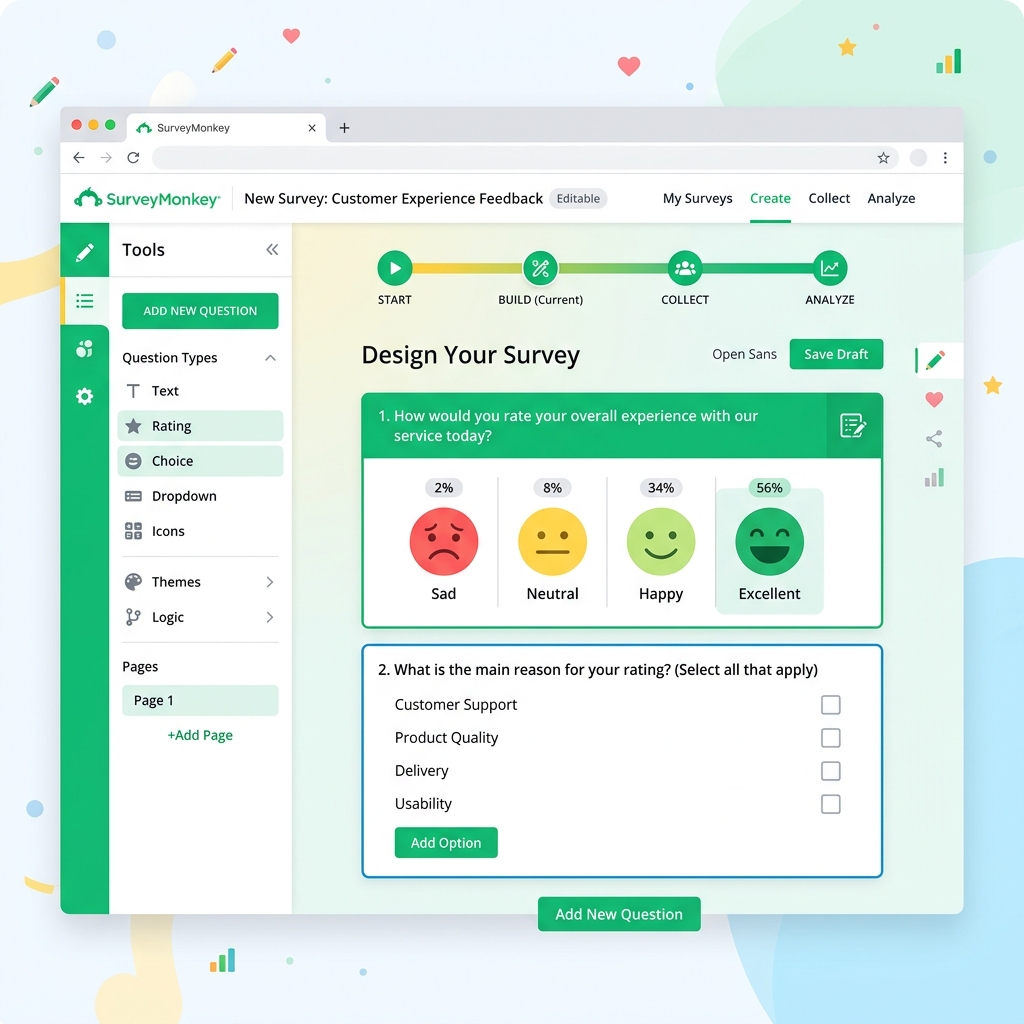
In the world of SaaS, the "product-market fit" journey never truly ends. Even after you've launched and scaled, the key to staying relevant is a continuous loop of customer feedback. While there are dozens of "up-and-coming" survey tools, SurveyMonkey remains the undisputed giant in the space. But it's not just resting on its laurels; in 2026, SurveyMonkey has integrated advanced AI to make sense of the noise and provide founders with actionable intelligence.
For many SaaS founders, the challenge isn't *getting* feedback—it's analyzing it. Reading through 500 open-ended responses is a chore that most people avoid. SurveyMonkey's recent AI upgrades, powered by the "Genius" engine, have automated the heavy lifting of sentiment analysis and trend detection. In this review, we'll explore why SurveyMonkey is still the best choice for SaaS companies that take their customer data seriously.
Tool Overview: What is SurveyMonkey?
SurveyMonkey is a cloud-based survey platform that allows businesses to create, distribute, and analyze surveys. It has evolved from a simple questionnaire tool into a robust "Experience Management" platform. Whether you need a quick NPS (Net Promoter Score) survey, a complex product-market fit study, or deep employee engagement research, SurveyMonkey provides the templates and the power to get it done.

What sets SurveyMonkey apart for SaaS is its **Sample Panel**. If you're a founder wanting to validate a new feature idea before building it, you can buy targeted responses from specific professional demographics through SurveyMonkey's audience service. This ability to get "outside" feedback beyond your current user base is invaluable for strategic decision-making.
Key Features
- Genius AI: An AI assistant that helps you write better questions, predicts your survey's success rate, and automatically generates insights from raw data.
- Template Library: Over 250 expert-written templates for every conceivable SaaS use case (Churn analysis, Feature prioritization, UI/UX testing).
- Advanced Logic & Branching: Create dynamic surveys that change based on previous answers, ensuring users only see relevant questions.
- Integrations: Connect your feedback directly to Salesforce, HubSpot, Slack, and Microsoft Teams to close the feedback loop in real-time.
- Benchmarking: See how your scores stack up against other companies in the SaaS industry using SurveyMonkey's massive proprietary dataset.
Pros and Cons
Pros
- ✓ Industry-leading security and compliance
- ✓ Powerful AI analysis of qualitative data
- ✓ Huge library of expert templates
- ✓ Best-in-class distribution options (Email, Link, Embed, SMS)
Cons
- ✗ Free plan is very limited (only 10 questions)
- ✗ Interface can feel corporate compared to Typeform
- ✗ Pricing jumps significantly for "Team" features

Pricing Overview
SurveyMonkey has moved toward a "User-Based" pricing model for teams, which can get expensive for larger organizations, but provides great value for focused product teams.
- Basic: Free for very short surveys (max 10 questions).
- Individual Advantage: $34/month for unlimited questions and basic logic.
- Team Advantage: $25 per user/month (min 3 users) for full collaboration and shared templates.
- Enterprise: Custom pricing for high-level security, SSO, and advanced API access.
Use Cases for SaaS
- Product-Market Fit Surveys: Use the classic Sean Ellis question ("How disappointed would you be if you could no longer use this product?") and let SurveyMonkey's AI calculate your PMF score.
- Churn Surveys: Automatically trigger a survey when a user cancels their subscription to understand the "why" and identify trends in real-time.
- Beta Tester Feedback: Collect detailed UX feedback from a small group of users before a major release, using branching logic to dive deep into specific feature bugs.
Comparison: SurveyMonkey vs. Typeform
The choice between **SurveyMonkey** and **Typeform** usually comes down to "Data vs. Design." **Typeform** is beautiful and conversational, perfect for lead generation or marketing quizzes. **SurveyMonkey** is built for research and data. If you need to perform deep statistical analysis, use crosstabs, or buy an audience panel, SurveyMonkey is the clear winner.
Final Verdict
SurveyMonkey is the "IBM" of survey tools—nobody ever got fired for choosing it. In 2026, it remains the most reliable and powerful choice for SaaS founders who want more than just pretty forms. It is a serious tool for serious research, and its new AI capabilities have removed the biggest bottleneck to using it: the time required for manual data analysis.
Frequently Asked Questions (FAQ)
Can I white-label my surveys?
Yes, on the higher-tier plans, you can remove SurveyMonkey branding and use your own colors and logos.
Does SurveyMonkey support offline surveys?
Yes, SurveyMonkey has a mobile app that allows you to collect responses without an internet connection, which then syncs once you're back online.
How do I buy an audience panel?
You can use the "SurveyMonkey Audience" feature directly within the platform to specify the demographic you want to reach and get a quote for responses.